
Smart cuts
Pick a tooth and the cross-sections walk along the arch at that site, square to the ridge, with the panorama showing where each cut sits.
Imaging · implant planning · dental CADClosed beta
One CBCT becomes an implant plan and a surgical guide, proposed by Photon Fio.ai and checked and signed off by you. For clinics, labs, imaging centres and universities, in the cloud, on every screen.
Recorded in Photon Fio.ai on a demo case. Sped up; nothing staged.
Scroll to watch one case go from the scan to the guide.
Report and export
Photon Fio.ai is in closed beta with selected partners. Its clinical features are not yet registered as a medical device and are not for sale. Every proposal is checked and confirmed by the clinician. Software licence. Photon Fio.ai™ and FioPlan™, FioGuide™ are trademarks of Voxel3Di Ltd.
At a glance
Nothing to install. The case opens in the browser on the PC, the tablet and the phone, and inside Photon Flow.
Every screenOne link and a PIN for a colleague or the lab: view or edit, a set expiry, or an anonymised copy.
IntegrationsFor the lab that makes the restoration. Crown & Bridge and Model Builder are in testing with our own lab.
All workspacesDICOM from any CBCT, intra-oral scans as STL, PLY or OBJ, and the implant system's own sleeves.
What it takes inFioFocus™ · one-click tooth view
The cuts stop following the head and turn onto the tooth's own axis, so you read the tooth, the canal and the ridge the way you will treat them, not the way the scan was taken.
Works in MPR, FioEndo™ and implant planning, on the PC, the tablet and the phone.
Recorded in Photon Fio.ai on a demo case. Sped up.
AI segmentation · the map every step reads
Fio turns the CBCT into separate 3D models: each tooth numbered, each pulp inside its tooth, the jaws and the nerve canal named. You check the numbering once, and the panorama, the cuts, the plan and the guide all read the same map.
Rendered from Fio's own segmentation of a de-identified teaching case, upper arch shown.
More in Fio
Pick a tooth and the cross-sections walk along the arch at that site, square to the ridge, with the panorama showing where each cut sits.
Each canal on its tooth's own axis: the curved canal view, cuts down the root and the pulp in 3D, proposed from the AI pulp and confirmed by you on the cuts.
Recorded in Photon Fio.ai and sped up. 3D is guidance; the reading is done on the cuts.
Web-based · nothing to install
Fio runs in the browser, so the scan, the plan and the guide live online and open wherever you are. Start the plan on the PC, check it on the tablet at the chair, and approve it from your phone.

Every module, including the CAD studios and surgical planning. Mouse, trackpad and keyboard shortcuts.
Planning, FioEndo™, films and reports at the chair, with touch gestures.
Your cases, MPR, FioFocus™ and the FioPlan™ review between patients, in the browser.
Open the scan from the referral or the result in the Photon Flow app and portal, next to the lab order.
One software, eight workspaces
The scan, the plan and the guide stay on one case, so nothing is exported to another program and imported back. The lab's restoration joins them as the CAD studios roll out.
Read the CBCT the way the case needs it.
The panorama, charted tooth by tooth.
Canals and pulp, traced tooth by tooth.
Crown first, then the implant.
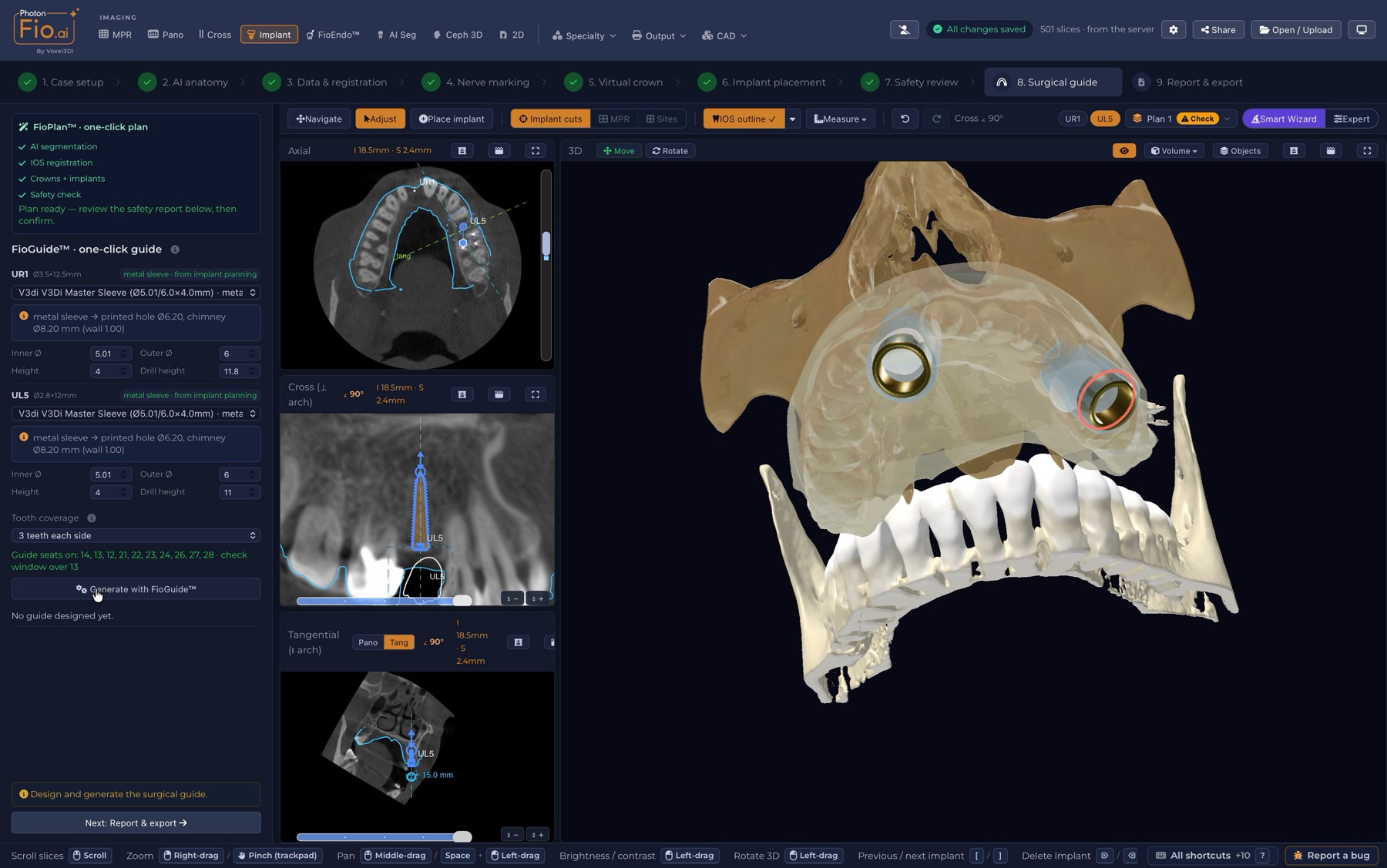
The guide, from the locked plan.
For the lab that makes the restoration.
Plan the jaw surgery around the face it serves.
The face, on the same case.
Photon Fio.ai is in closed beta with selected partners. Its clinical features are not yet registered as a medical device and are not for sale.
Integrations
Drop a study folder or a .zip, or receive it from the scan centre.
STL, PLY or OBJ, matched to the CBCT without landmarks.
Search implant systems; the guide uses the system's own sleeves.
STL of guides and models for your printer or your lab.
PDF reports and CT films, printed or sent.
One link and a PIN. View or edit, a set expiry, or an anonymised copy.
Referrals, imaging requests and lab orders on the same case.
Fio.ai Academic links to the learning system and Google or Microsoft sign-in.
Need a link to your own system? Join the beta list and tell us what you use.
Learn Fio. Teach Fio.
Four levels, each one building on the last. Students learn and are examined on the real Fio viewer, the system scores, and the instructor decides.
Accreditation is given by Voxel3Di for using Photon Fio.ai. It is not a clinical qualification. Fio.ai Academic is for education and research only, not for diagnosis or treatment.
Join the closed beta
Tell us who you are and what you would like: a place in the closed beta, a walkthrough on a real case, accreditation for you or your team, or Fio.ai Academic for your university. We will get back to you.
Photon Fio.ai is in closed beta with selected partners. Its clinical features are not yet registered as a medical device and are not for sale. Every proposal is checked and confirmed by the clinician.